

 Authenticate
 Manage Users
 Customize
 Auth0 AI
 Platform
scope claim of the includes an intersection of the requested permissions and the permissions assigned to the user, regardless of whether permissions are also included in the access token. When RBAC is disabled, an application can request any permission defined for the API, and the scope claim includes all requested permissions.
If you configure any Actions that modify access token scopes, they will override the scopes set by RBAC.
Dashboard
-
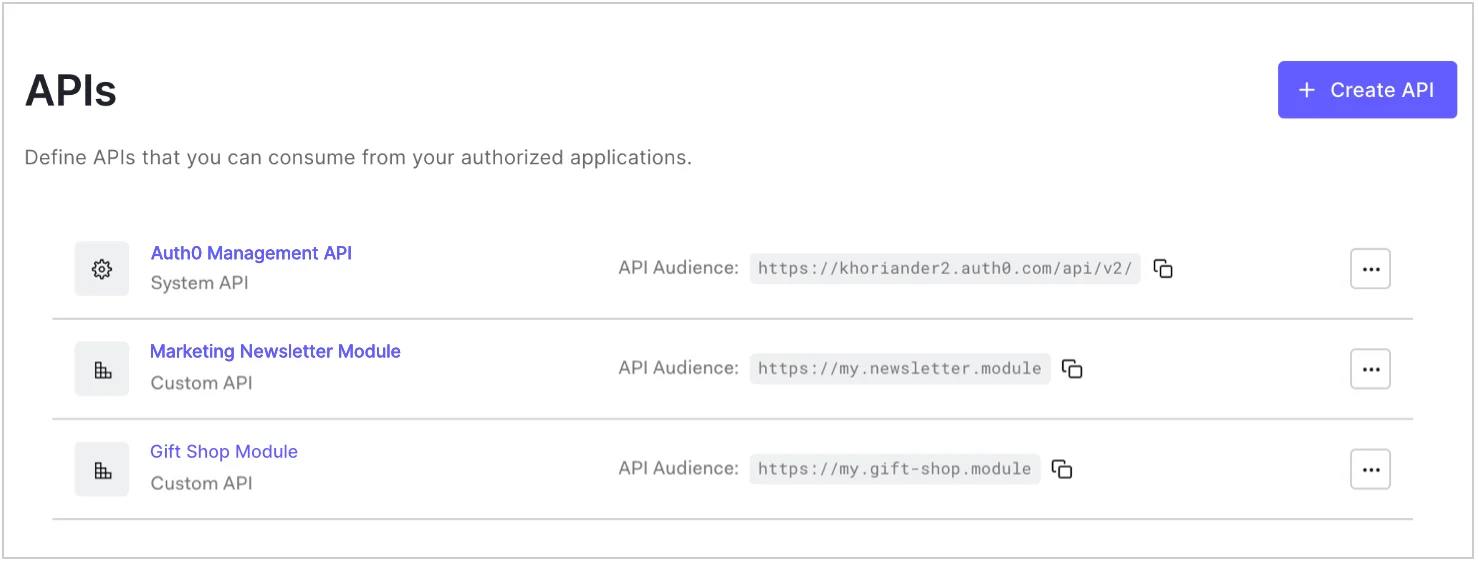
Go to Dashboard > Applications > APIs and click the name of the API to view.
-
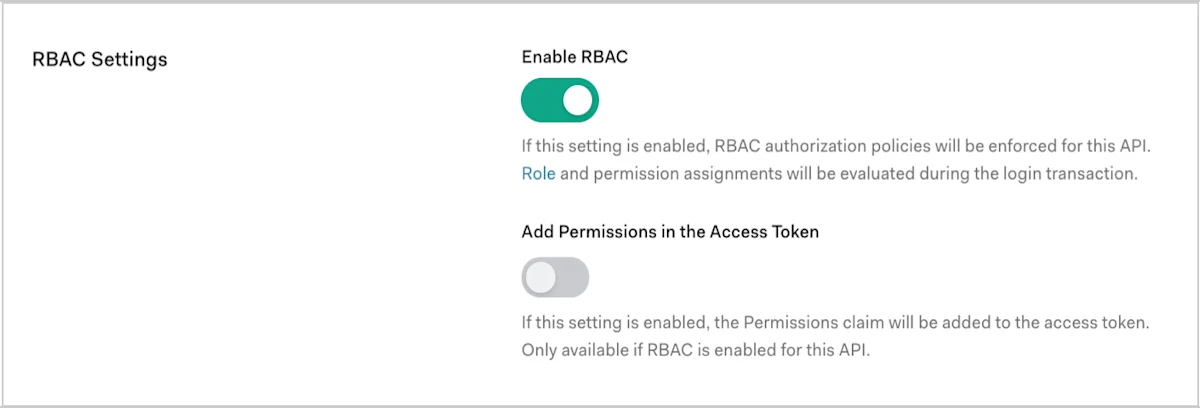
Scroll to RBAC Settings and enable the Enable RBAC toggle.
-
To include all permissions assigned to the user in the
permissionsclaim of the access token, enable the Add Permissions in the Access Token toggle, and click Save. Including permissions in the access token allows you to make minimal calls to retrieve permissions, but increases token size. Once you’ve enabled the Add Permissions in the Access Token toggle, Auth0 also updates your token dialect based on the access token profile you’ve set for the API:- If your token dialect is
access_token, Auth0 updates it toaccess_token_authz, which is equivalent to theaccess_tokenprofile with thepermissionsclaim included. - If your token dialect is
rfc9068_profile, Auth0 updates it torfc9068_profile_authz, which is equivalent to therfc9068_profilewith thepermissionsclaim included.
- If your token dialect is
Management API
To enable RBAC using the Management API, make a PATCH request to the Update a resource server endpoint. In the PATCH request, setenforce_policies to true:
Replace API_ID, MGMT_API_ACCESS_TOKEN, and TOKEN_DIALECT with their respective values, as shown in the following table: